


Blusafe Solutions
TTLock G6 Matter Wi-Fi Gateway for Blusafe Smart Locks
TTLock G6 Matter Wi-Fi Gateway for Blusafe Smart Locks
定價
£69.99 GBP
定價
售價
£69.99 GBP
已包含稅額。
無法載入取貨服務供應情況
數量
Key features at a glance
 Wi-Fi
Wi-Fi
 Bluetooth Bridge
 Gateway
 Remote Unlock
 App Control
 Matter
TTLOCK PLATFORMG6 MATTER
Your TTLock lock, inside Matter.
A Wi-Fi bridge/gateway connects nearby Bluetooth TTLock locks to the internet for remote access.
Matter over Wi-FiApple HomeAlexa & GoogleOne lock per gateway in Matter mode
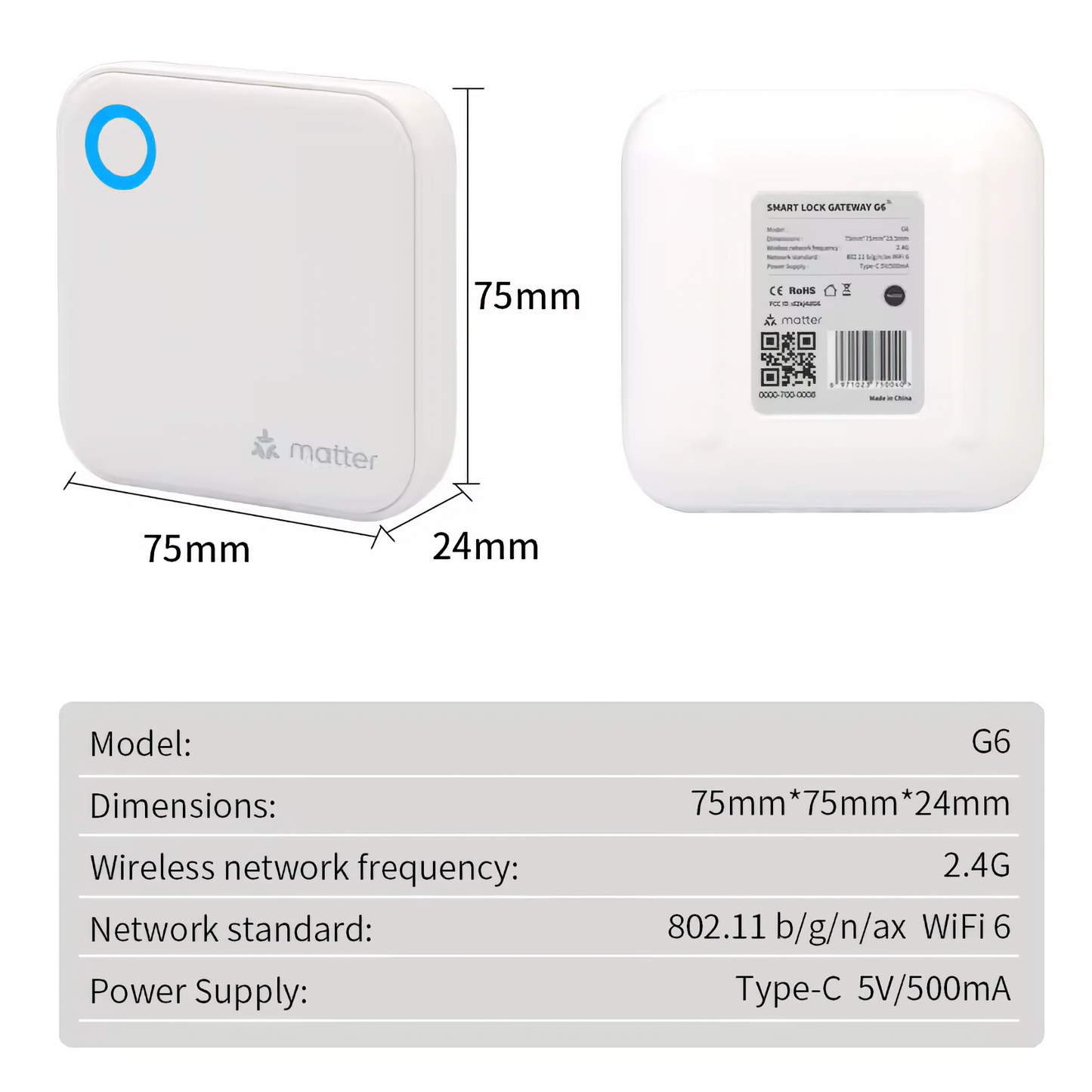
The G6 adds TTLock remote access and Matter smart-home integration. Choose it when you want a compatible Blusafe TTLock smart lock to appear in Apple Home, Amazon Alexa or Google Home through Matter.
All three gateways connect to the lock over Bluetooth, so the gateway should be plugged in within Bluetooth range of the door.
Why you will like it
✓Remote access made simple
Unlock, manage users and check activity even when you are away from the property.
✓Bluetooth-to-Wi-Fi bridge
Your lock stays Bluetooth locally; the bridge handles internet connectivity.
✓Choose the right model
The comparison table makes it clear when to pick G2, G5 or G6.
Frequently asked questions
Will this work with every Blusafe lock?
It is for compatible TTLock-based Blusafe locks such as Apollo and Origin Smart Plus. Tuya/Blusafe Smart app products need the Tuya Wi-Fi Bridge instead.
Where should I plug it in?
Place it within Bluetooth range of the lock and within range of your Wi-Fi router.
Which gateway is best?
Choose G2 for simple remote access, G5 for dual-band Wi-Fi or multi-lock setups, and G6 when Matter integration is the priority.
Free UK Delivery ● 2 Year Warranty ● UK-Based Support


Blusafe UK
Product Security
How to report a security vulnerability and how long Blusafe connectable products receive security updates.