


Blusafe Solutions
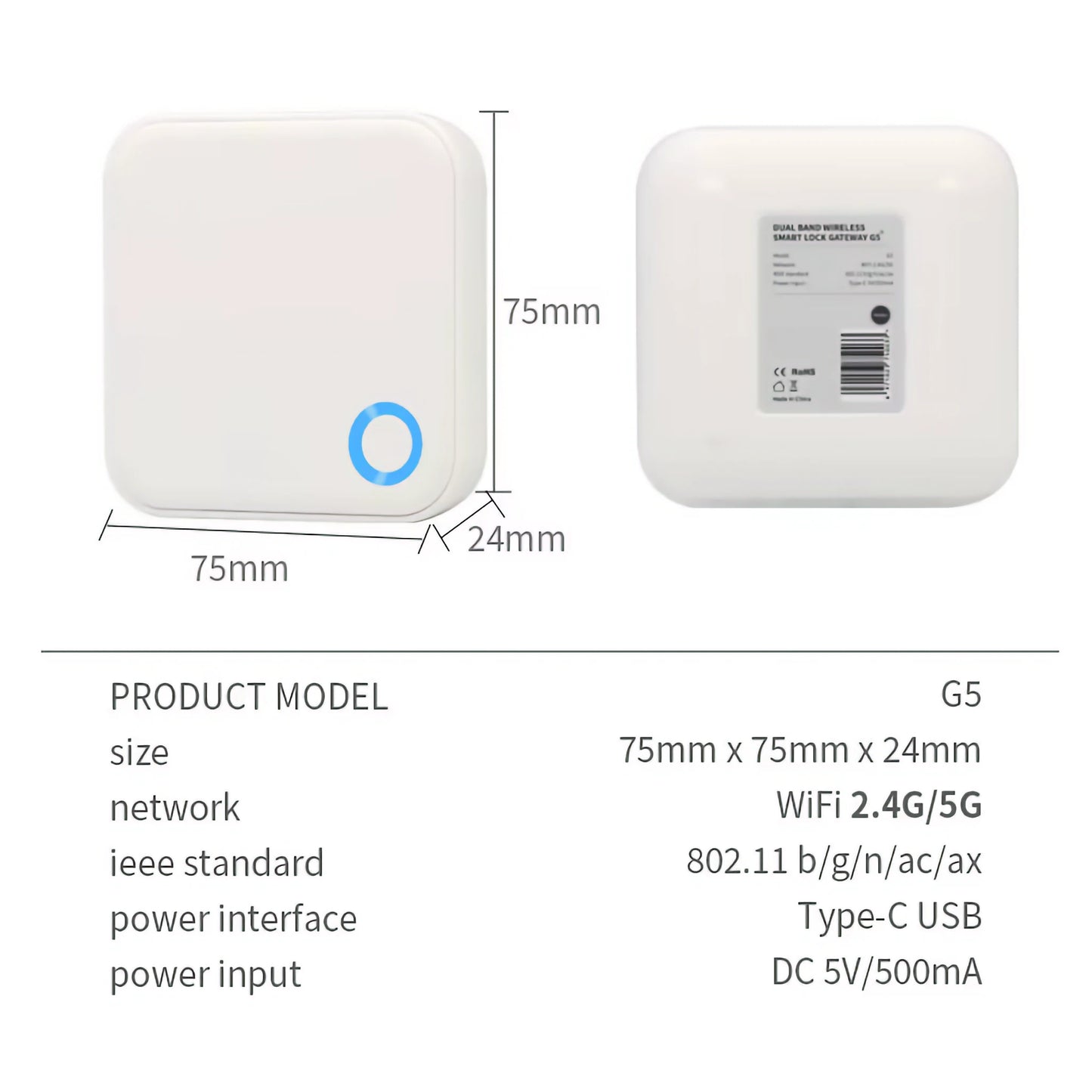
TTLock G5 Dual-Band Wi-Fi Gateway for Blusafe Smart Locks
TTLock G5 Dual-Band Wi-Fi Gateway for Blusafe Smart Locks
정가
£59.99 GBP
정가
할인가
£59.99 GBP
세금이 포함된 가격입니다.
픽업 사용 가능 여부를 로드할 수 없습니다.
수량
Key features at a glance
 Wi-Fi
Wi-Fi
 Bluetooth Bridge
 Gateway
 Remote Unlock
 App Control
 Activity Log
TTLOCK PLATFORMG5 DUAL-BAND
Dual-band Wi-Fi. Less setup faff.
A Wi-Fi bridge/gateway connects nearby Bluetooth TTLock locks to the internet for remote access.
2.4GHz + 5GHzRemote unlockMultiple locks in rangeGreat for modern routers
The G5 does what the G2 does, but adds dual-band 2.4GHz and 5GHz Wi-Fi. Choose it when your router is dual-band, your property has more demanding connectivity, or you want the simplest gateway setup.
All three gateways connect to the lock over Bluetooth, so the gateway should be plugged in within Bluetooth range of the door.
Why you will like it
✓Remote access made simple
Unlock, manage users and check activity even when you are away from the property.
✓Bluetooth-to-Wi-Fi bridge
Your lock stays Bluetooth locally; the bridge handles internet connectivity.
✓Choose the right model
The comparison table makes it clear when to pick G2, G5 or G6.
Frequently asked questions
Will this work with every Blusafe lock?
It is for compatible TTLock-based Blusafe locks such as Apollo and Origin Smart Plus. Tuya/Blusafe Smart app products need the Tuya Wi-Fi Bridge instead.
Where should I plug it in?
Place it within Bluetooth range of the lock and within range of your Wi-Fi router.
Which gateway is best?
Choose G2 for simple remote access, G5 for dual-band Wi-Fi or multi-lock setups, and G6 when Matter integration is the priority.
Free UK Delivery ● 2 Year Warranty ● UK-Based Support


Blusafe UK
Product Security
How to report a security vulnerability and how long Blusafe connectable products receive security updates.